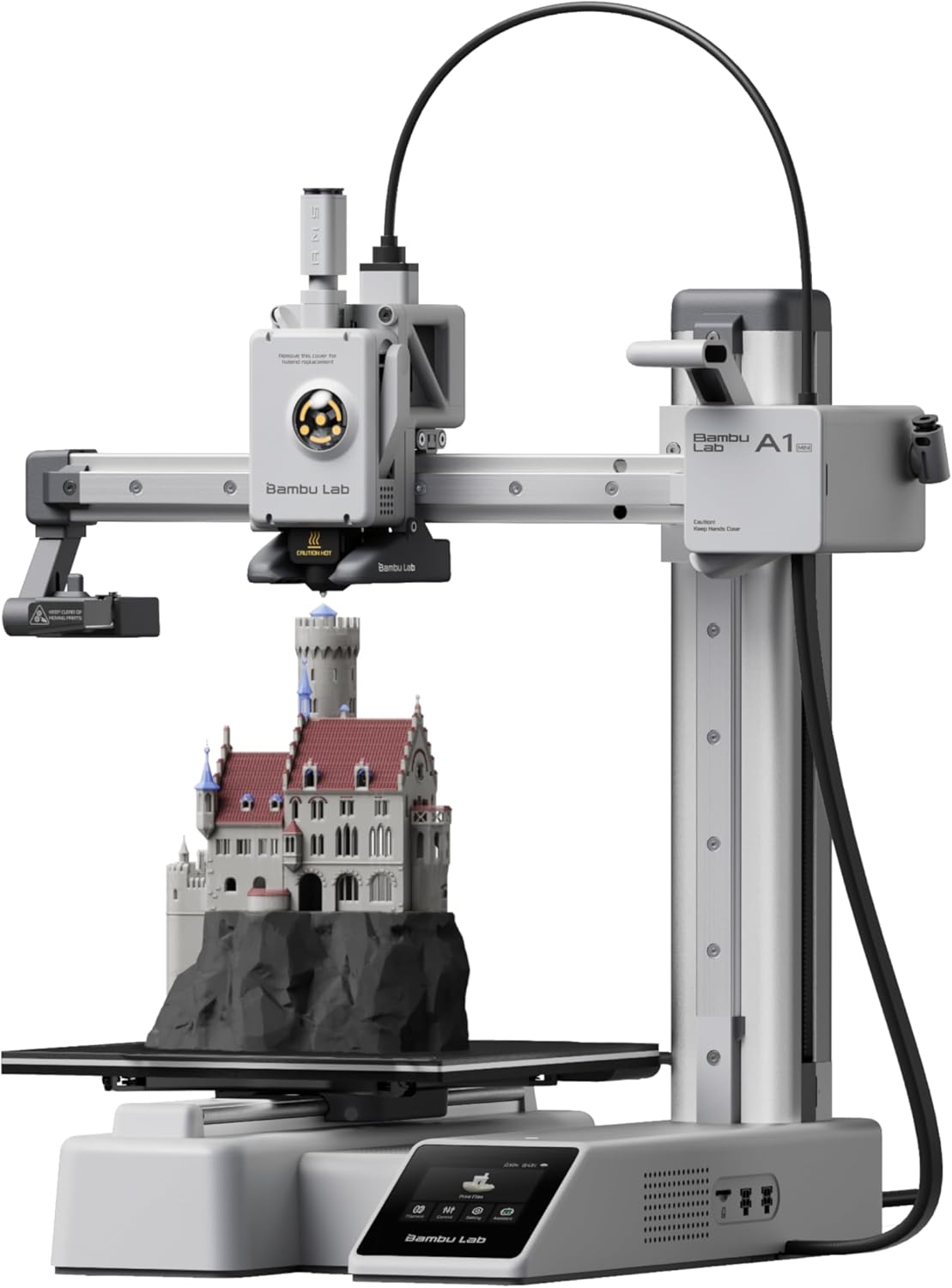
The Bambu Lab A1 Mini Made Me Question Why Anyone Spends More
Here’s a sentence I never expected to write about a $199 3D printer: it works perfectly out of the box, every time, with zero calibration.
Five years ago, a $199 printer meant hours of assembly, manual bed leveling, Z-offset guessing, and inevitable failed prints. The A1 Mini skips all of that. You pull it out, plug it in, run the 15-minute auto-calibration, and start printing. First print comes out clean. Second print comes out clean. It just keeps working.
At $199 base ($299 as the Combo with AMS Lite for multi-color), the A1 Mini is the printer I recommend to literally everyone who asks. Here’s why.
Key Specs
| Spec | Details |
|---|---|
| Build Volume | 180 x 180 x 180mm |
| Max Print Speed | 500mm/s |
| Extruder | Direct drive, all-metal hotend |
| Max Nozzle Temp | 300°C |
| Max Bed Temp | 100°C |
| Auto Calibration | Z-offset, bed level, vibration, flow |
| Noise Level | ~49dB |
| Connectivity | Wi-Fi, USB, Bambu Cloud |
| Filament Support | PLA, PETG, TPU, PLA+, PVA |
| Multi-color | Yes (with AMS Lite, up to 4 colors) |
| Weight | 5.5kg |
| Price | $199 (base) / $299 (Combo with AMS Lite) |
What Makes the A1 Mini Special
Auto-Calibration That Actually Works
I’ve used “auto bed leveling” on a dozen different printers. Most of them are mediocre — they probe the bed, create a mesh, and mostly compensate for unevenness. You still end up tweaking Z-offset manually.
The A1 Mini’s calibration is different. It automatically handles:
- Bed leveling — Full mesh probe with accurate compensation
- Z-offset — Uses a strain gauge for precise nozzle-to-bed measurement
- Vibration compensation — Input shaping for high-speed printing without ringing
- Flow calibration — Adjusts extrusion multiplier for consistent output
You run it once after setup, and it handles everything. No baby-stepping, no live-Z adjustment, no post-it note trick. It just knows where the bed is.
500mm/s Speed — And It Actually Matters
“500mm/s” is a marketing number — most printers that claim it only hit that speed on straight-line moves and spend most of their time at 150-200mm/s due to acceleration limits.
The A1 Mini actually maintains high speeds thanks to its lightweight direct drive toolhead and quality motion system. Real-world improvement over a standard 50-60mm/s printer:
- Benchy (3D boat test): ~20 minutes vs 60+ minutes on typical budget printers
- Phone case: ~15 minutes vs 45+ minutes
- Small functional parts: Dramatically faster for iterative prototyping
The speed doesn’t sacrifice quality either. At 180mm/s (a comfortable cruising speed), print quality is nearly identical to 60mm/s prints. You only start seeing quality tradeoffs above 300mm/s.
Build Volume — Small but Sufficient
180x180x180mm sounds limiting until you realize how many prints fit within it:
- ✅ Phone cases and stands
- ✅ Tabletop miniatures and terrain
- ✅ Cable organizers and desk accessories
- ✅ Small planters and vases
- ✅ Mechanical parts, brackets, clips
- ✅ Toys and fidget gadgets
- ✅ Most Thingiverse/Printables designs
Where you’ll hit the limit:
- ❌ Full-size cosplay helmets
- ❌ Large vases (taller than 180mm)
- ❌ RC car bodies
- ❌ Anything bigger than roughly a softball
For 80% of what hobby users print, 180mm³ is enough. If you regularly need bigger, the full-size Bambu Lab A1 doubles the volume for $200 more.
Multi-Color with AMS Lite
The A1 Mini Combo ($299) includes the AMS Lite, which lets you print with up to 4 different filaments in a single print. This means:
- Multi-color designs — Logos, text, artistic prints
- Multi-material — PLA body with TPU flexible inserts
- Dissolvable supports — PVA supports that dissolve in water
The AMS Lite works by feeding filament sequentially — when the printer needs a new color, it cuts the old filament, loads the new one, purges, and continues. It’s not instant (each swap takes 15-30 seconds plus purge), but it’s automatic and reliable.
Real talk: Multi-color adds waste. Each swap purges ~100mm of filament. A 4-color print uses noticeably more material than single-color. For multi-color to be worthwhile, the design should actually benefit from it — don’t force it.
The Downsides — Being Honest
Open Frame Design
No enclosure means no temperature-controlled chamber. This limits performance with engineering filaments:
- PLA / PLA+ / PETG: No issues
- ABS/ASA: Will likely warp without a DIY enclosure
- Nylon/PC: Not recommended at all
- TPU: Works but benefits from slower speeds
If you need an enclosed printer, look at the Bambu Lab P1S instead.
Proprietary Ecosystem
Bambu Lab’s slicer (Bambu Studio) is excellent but proprietary. OrcaSlicer (open-source fork) works as an alternative, but firmware updates and cloud features are Bambu-only. If you want full open-source control, a Prusa or Voron might suit you better.
Bed Surface
The A1 Mini ships with a sticker-type build surface. It works, but the textured PEI plates on the full A1 and P1S are better for adhesion and release. You can buy a PEI plate aftermarket for ~$15-25.
Noise at High Speed
At 49dB during normal printing, it’s quiet. At full 500mm/s speed, the vibration and fan noise increases noticeably. It’s still not loud — you can hold a conversation next to it — but it’s not silent.
Who Should Buy the A1 Mini
- You're a complete beginner
- You want zero-fuss printing
- You print small-to-medium objects
- You want multi-color capability
- You're budget-conscious ($199-299)
- You want fast prints without quality loss
- You need a larger build volume
- You want to print ABS, nylon, or PC
- You prefer open-source firmware
- You want to tinker and customize hardware
- You need an enclosed print chamber
A1 Mini vs The Competition
| Feature | A1 Mini | Ender-3 V3 SE | Neptune 4 |
|---|---|---|---|
| Price | $199 | $199 | $199 |
| Build Volume | 180x180x180mm | 220x220x250mm | 225x225x265mm |
| Max Speed | 500mm/s | 250mm/s | 500mm/s |
| Auto Calibration | Full (Z, bed, vibration, flow) | CR Touch + strain sensor | Klipper-based |
| Multi-Color | Yes (AMS Lite) | No | No |
| Noise | 49dB | ~52dB | ~50dB |
| Direct Drive | Yes | Yes | Yes |
| Ease of Setup | 15 min | 30 min | 25 min |
| Ecosystem | Bambu Studio (proprietary) | Creality Print / Cura | Cura / OrcaSlicer |
The verdict: The A1 Mini wins on ease of use, multi-color, and print quality at speed. The Ender-3 V3 SE wins on build volume. The Neptune 4 is a solid middle ground but lacks the polish of the A1 Mini’s auto-calibration.
Final Verdict
The Bambu Lab A1 Mini is the easiest recommendation in 3D printing. At $199, you’re getting technology that cost $1000+ three years ago. The auto-calibration eliminates the learning curve that makes most beginners quit. The 500mm/s speed means you’re not waiting hours for simple prints. And the optional AMS Lite unlocks multi-color without the headaches of manual filament swapping.
If you’ve been thinking about getting into 3D printing but heard it’s “complicated” — the A1 Mini proves that’s no longer true. Set up takes 15 minutes. First print takes 20. You’ll be hooked by the third.
Our rating: 9.1/10 — The best entry point into 3D printing in 2026.
Want the bigger brother? Read our Bambu Lab A1 review for the full comparison. Looking for alternatives? Check our best 3D printer under $500 roundup. And once you’ve got your printer, grab the best PLA filament to go with it.