$300 Apart, But the Gap Is Bigger Than the Price
The Bambu Lab A1 Mini costs $249. The Creality K1C costs $549. That $300 difference buys you an enclosure, a CoreXY motion system, a hardened nozzle, and access to every engineering filament worth printing. What it costs you is simplicity, a polished slicer, and the option to add multi-color printing for under $400 total.
This isn’t a close call for most buyers. The A1 Mini is a genuinely excellent printer for PLA, PLA+, and PETG — quiet, automatic, and small enough to live on a desk. The K1C is a different tool for a different job. The question is whether your job actually requires what the K1C offers, because if it doesn’t, you’re paying $300 for capability you’ll never use.
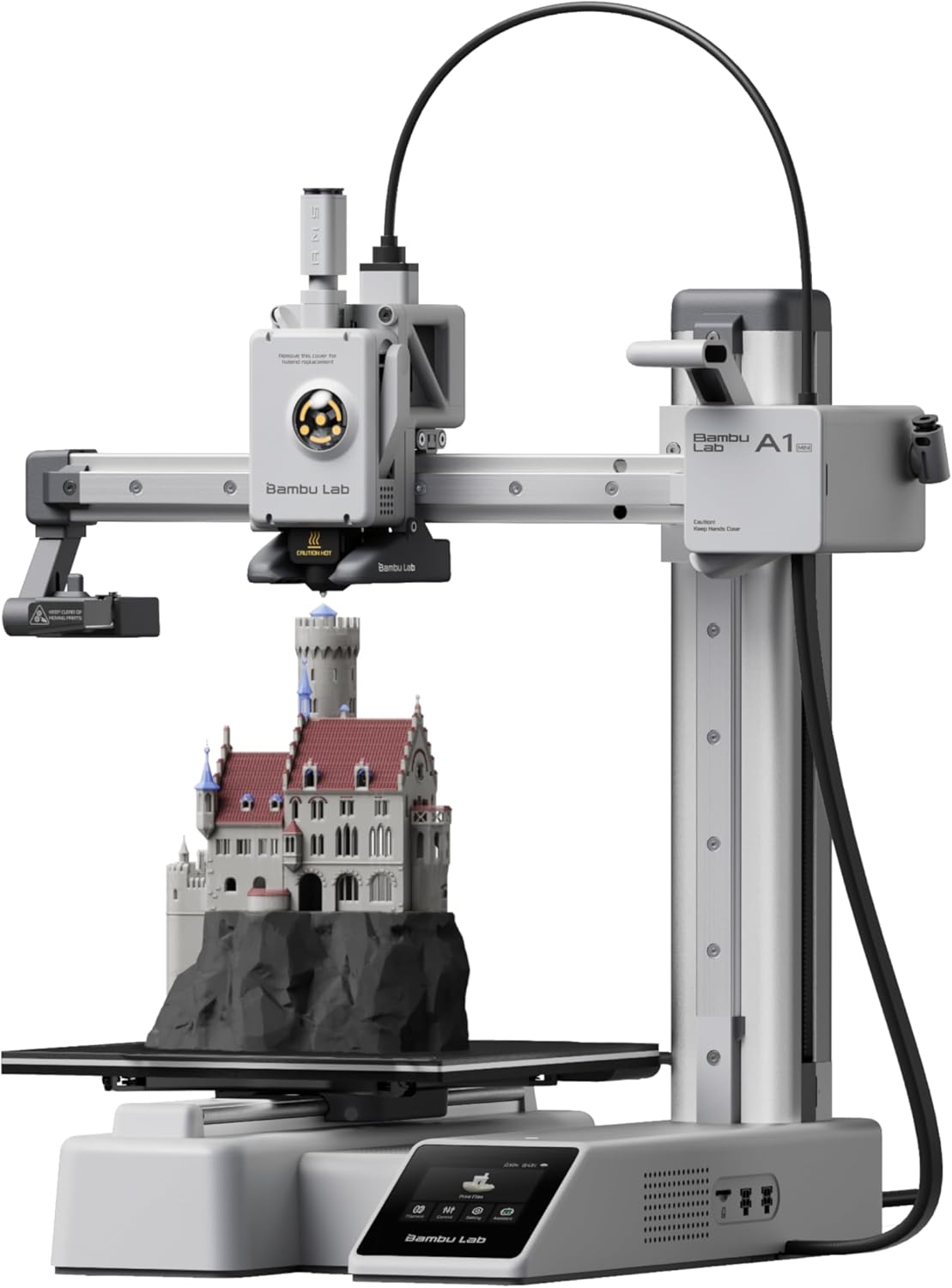
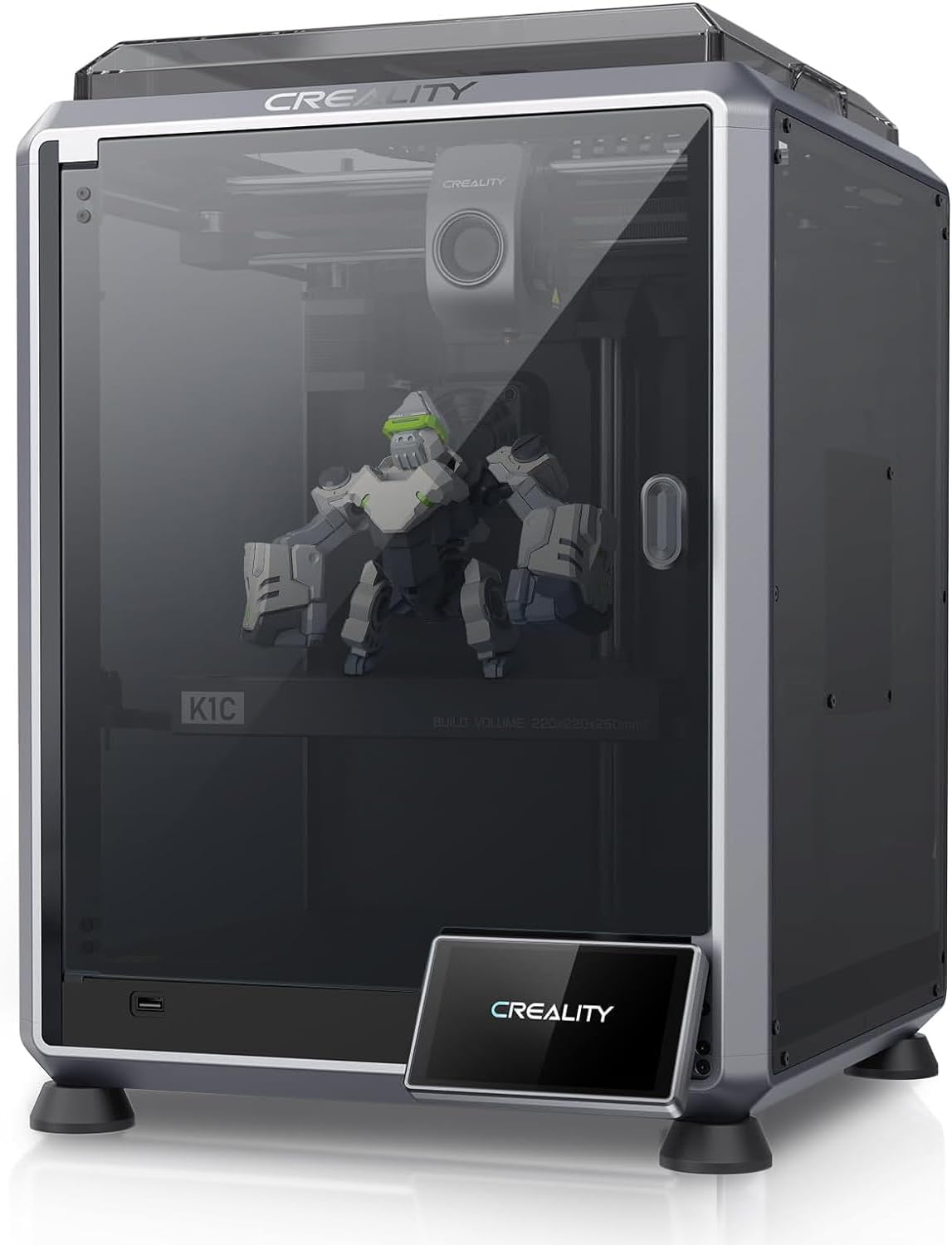
| Spec | Bambu Lab A1 Mini | Creality K1C |
|---|---|---|
| Build Volume | 180×180×180mm | 220×220×250mm |
| Kinematics | Bedslinger (Cartesian) | CoreXY |
| Max Speed | 500 mm/s | 600 mm/s |
| Max Nozzle Temp | 300°C | 300°C |
| Max Bed Temp | 80°C | 100°C |
| Extruder | Direct drive | All-metal dual-gear direct drive |
| Leveling | Fully automatic (load cell) | Fully automatic |
| Chamber | Open | Enclosed |
| Firmware | Bambu (proprietary) | Creality OS (Klipper-based, locked) |
| Camera | Built-in 1080p (low fps) | Built-in (1080p AI camera) |
Architecture: Bedslinger vs CoreXY
The A1 Mini moves its print bed forward and back (Y axis) while the toolhead handles X and Z. That’s the bedslinger layout — simple, proven, and the reason the printer can be built and sold for $249. The tradeoff is that the bed carries the mass of the print, which limits how fast you can accelerate before the part shifts or you get ringing artifacts on tall prints. At 10,000mm/s² the A1 Mini is well-tuned for its class, but the physics ceiling is lower than CoreXY.
The K1C moves only the toolhead in X and Y, with the bed dropping in Z. Nothing but the nozzle and a small carriage are accelerating during a print move. That’s why Creality can push 20,000mm/s² without the print shaking itself off the plate. The K1C also uses input shaping (via its Klipper-based firmware) to measure and cancel resonance frequencies, which suppresses ghosting at high speeds. The A1 Mini has Bambu’s own vibration compensation, and it works well, but the underlying motion system still has the bedslinger’s inherent mass disadvantage.
For small, flat prints — phone stands, cable clips, miniature bases — the architecture difference is nearly invisible. For tall functional parts printed fast, CoreXY wins on ringing and dimensional accuracy.
Material Compatibility: Where the A1 Mini Hits a Wall
This is the axis that matters most for a lot of buyers, so here it is plainly:
| Material | A1 Mini (Open, 80°C bed) | K1C (Enclosed, 100°C bed) |
|---|---|---|
| PLA / PLA+ | Perfect | Perfect |
| PETG | Great | Great |
| ABS | Incompatible | Great |
| ASA | Incompatible | Great |
| TPU | Good | Good |
| Carbon-fiber blends | Incompatible | Perfect |
The A1 Mini’s 80°C bed cap isn’t a soft limitation — ABS and ASA need a heated chamber to prevent warping and layer delamination, and an open frame at 80°C doesn’t provide that. Bambu rates the printer incompatible with both, and that’s the honest answer.
Carbon fiber is a separate issue. CF-filled filaments are abrasive enough that a brass nozzle that lasts six months on PLA will be unusably worn after two spools of CF. The K1C ships with a Unicorn tri-metal nozzle — copper body, titanium heat break, hardened steel tip — specifically because Creality positioned this printer for abrasive materials. The A1 Mini has no equivalent nozzle option in its standard configuration, and Bambu rates it incompatible with CF blends.
If your print queue is PLA and PETG, the A1 Mini’s compatibility table is fine. If anything on that list — ABS, ASA, CF — shows up even occasionally, the A1 Mini is the wrong printer and no amount of workarounds changes that.
Build Volume: Small but Honest vs Genuinely Useful
The A1 Mini’s 180 × 180 × 180mm build volume is enough for a lot of starter projects. Figurines, small enclosures, phone accessories, household organizers — most of those fit. Where it gets cramped is functional parts: a bracket that needs to be 200mm long, a tool holder that wants 190mm of height, or anything you’d want to print two of simultaneously to save time.
The K1C’s 220 × 220 × 250mm volume isn’t enormous by current standards, but the extra 40mm in X and Y and 70mm in Z make a real difference for mechanical parts. A 200mm bracket fits. Two medium-sized prints side by side fit. The taller Z is particularly useful for vase-mode prints and anything with significant height.
Neither printer is the right answer if you regularly need to print large objects — that’s a different category entirely. But between the two, the K1C’s volume is noticeably more practical for functional printing.
Enclosure, Slicer, and the Ecosystem Question
The K1C’s enclosure does two things: it retains chamber heat for ABS and ASA, and it keeps noise and fumes contained. At top speed the K1C is loud — the fans and motion system generate real noise — but the enclosure keeps filament off-gassing from spreading into the room, which matters if you’re printing anything other than PLA.
The A1 Mini is open, which means it’s quieter at comparable speeds and easier to access mid-print, but there’s no thermal management for the build chamber. Bambu describes it as quiet enough for a bedroom, and that’s accurate for PLA at normal speeds.
On the software side, Bambu Studio is a meaningful advantage for the A1 Mini. It’s faster to learn than Cura, the print profiles are well-tuned out of the box, and the integration with Bambu’s cloud ecosystem (remote monitoring, print history, Bambu Handy app) is tight. The K1C runs Creality OS, which is Klipper under the hood but locked down — you get input shaping and pressure advance, but you can’t flash vanilla Klipper without voiding support. For someone who wants to tinker with Klipper macros, that’s a frustration. For someone who just wants to print, it’s a non-issue.
The A1 Mini also supports the AMS Lite for multi-color printing — up to four filaments, handled automatically. The K1C has no multi-material system. If multi-color prints are on your list, the A1 Mini plus AMS Lite ($399 bundled) is the only path here.
The Buy Recommendation
Buy the A1 Mini ($249) if:
- Your materials list starts and ends with PLA, PLA+, and PETG
- You want multi-color capability now or in the future (AMS Lite)
- Desk space is limited and a 180mm cube is enough for your projects
- You’re new to 3D printing and want the smoothest possible onboarding
- Noise matters — bedroom, apartment, shared workspace
Buy the K1C ($549) if:
- You need to print ABS, ASA, or any carbon-fiber blend
- Print speed and acceleration matter for your workflow — 600mm/s and 20,000mm/s² vs 500mm/s and 10,000mm/s²
- You want an enclosed machine that contains fumes and retains chamber heat
- Your parts regularly push past 180mm in any dimension
- You’re comfortable with an intermediate-level machine and Klipper-adjacent firmware
For most people buying their first or second printer, the A1 Mini is the right call. The material limitations only matter if you actually need those materials, and the majority of hobbyist print queues never touch ABS or CF. The A1 Mini is cheaper, easier, quieter, and multi-color capable — that’s a strong package at $249.
The K1C earns its $300 premium only if engineering materials are genuinely in your future. If you already know you’ll be printing CF-nylon brackets or ABS enclosures, buying the A1 Mini to save money now means buying the K1C (or something like it) in six months anyway.
For a broader look at how the A1 Mini stacks up against other beginner-tier options at similar prices, see Bambu Lab A1 Mini vs Elegoo Neptune 4 Pro .