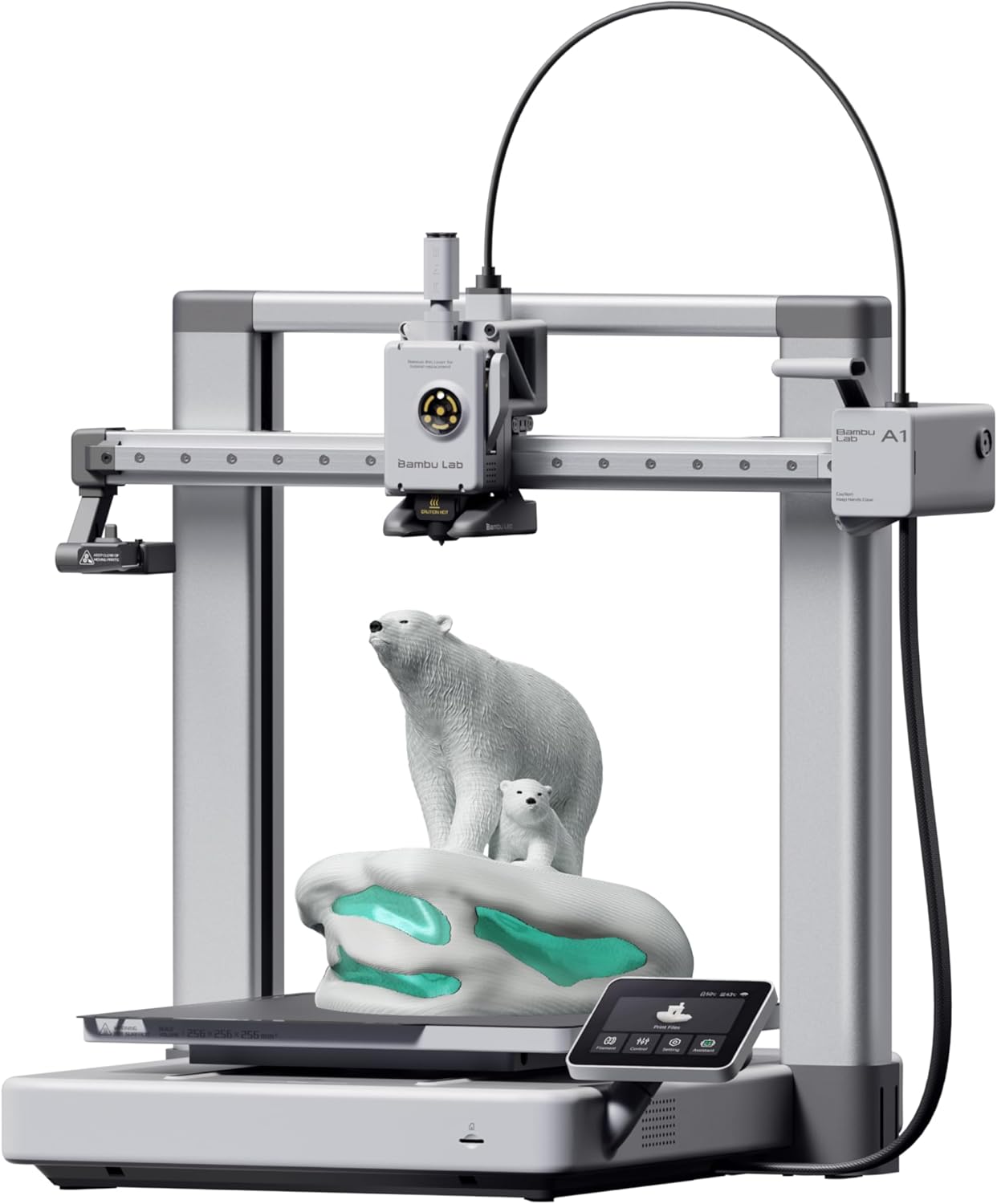
The Bambu Lab A1 is the printer that killed the hobby of 3D printer tinkering — and that’s a compliment.
For years, half of 3D printing was fighting your machine. Bed leveling, Z-offset tweaking, retraction tuning, temperature towers. The A1 automates all of it. You unbox it, run the auto-calibration, and get production-quality prints on your first attempt. It’s the iPhone of 3D printers — it just works.
At $399 ($559 with the AMS Lite for multi-color), it sits right in the sweet spot where you’re getting professional-grade hardware without professional-grade pricing.
Key Specs
| Spec | Details |
|---|---|
| Build Volume | 256 x 256 x 256mm |
| Max Print Speed | 500mm/s |
| Extruder | Direct drive, all-metal hotend |
| Max Nozzle Temp | 300C |
| Max Bed Temp | 100C |
| Auto Calibration | Z-offset, bed level, vibration, flow |
| Noise Level | 48dB |
| Connectivity | Wi-Fi, USB, Bambu Cloud |
| Filament Compatibility | PLA, PETG, TPU, PLA+, PVA |
| Multi-color | Yes (with AMS Lite, up to 4 colors) |
| Price | $399 (base) / $559 (Combo with AMS) |
What Makes It Great
Auto-Calibration That Actually Works
Every printer claims auto-leveling. Most still require manual Z-offset adjustment. The A1 calibrates everything — bed level, Z-offset, vibration resonance, nozzle pressure — automatically before each print. The result is sub-0.2mm dimensional accuracy on most geometric prints without you touching a single setting.
This isn’t a gimmick. It’s the single biggest quality-of-life improvement in consumer 3D printing. First-timers get successful prints immediately. Experienced users save 20+ minutes of setup per print session.
Print Speed That Doesn’t Sacrifice Quality
500mm/s peak speed with acceleration compensation. In practice, most prints run at 200-300mm/s with quality settings, which is still 3-4x faster than a typical Ender 3. A benchy takes about 17 minutes. A functional print that would take 4 hours on a traditional printer finishes in under 90 minutes.
The key is the direct drive extruder + input shaping (vibration compensation). Fast printers without input shaping produce ringing artifacts. The A1 handles it cleanly.
Multi-Color Printing (AMS Combo)
If you get the Combo ($559), the AMS Lite lets you print with up to 4 filament colors automatically. The system handles filament swaps during the print — you just assign colors in Bambu Studio. It’s not perfect (color transitions create some waste), but it’s the most accessible multi-color system at this price.
The Software Experience
Bambu Studio is polished. It imports STL/3MF files, slices fast, and offers cloud-based print monitoring with a camera feed. The mobile app lets you check prints remotely. Over-the-air firmware updates keep the printer improving.
The downside: Bambu’s ecosystem is semi-closed. You can use third-party slicers (OrcaSlicer, PrusaSlicer), but the auto-calibration features work best through Bambu Studio.
What I Don’t Like
Open Frame = No Enclosure
The A1 is an open-frame bed slinger. For PLA and PETG, this is fine. But if you want to print ABS, nylon, or ASA reliably, you need an enclosure to maintain chamber temperature. The P1S ($599) is Bambu’s enclosed option — but that’s $200 more with a smaller community.
Large PETG prints in drafty rooms can show slight warping due to uneven cooling. Not a dealbreaker, but worth noting.
Proprietary Tendencies
Bambu Lab has been criticized for their relationship with open-source. The AMS uses Bambu-branded RFID filament tags (though you can use any filament with manual override). Firmware updates occasionally change features. The cloud printing requirement for some features raises privacy concerns.
If you’re a “right to repair” person or want full control over your firmware, the Prusa MK4 or Voron is more your speed.
Vibration on Fast Prints
At maximum speeds on a desk, the A1 vibrates noticeably. It’s a bed-slinger — the heavy bed moves on the Y-axis, which means fast movements shake the table. Put it on a heavy surface or a concrete paver. This isn’t an A1-specific issue — all bed slingers have it — but it’s worth mentioning since Bambu markets the speed heavily.
- Auto-calibration eliminates setup frustration completely
- 500mm/s speed with clean print quality thanks to input shaping
- AMS Lite multi-color system is genuinely easy to use
- Sub-0.2mm dimensional accuracy out of the box
- 48dB noise level — quiet enough for home use
- All-metal hotend handles 300C for most materials
- Open frame — no enclosure for ABS/nylon printing
- Semi-proprietary ecosystem (AMS RFID, cloud features)
- Bed slinger design vibrates at high speeds
- Firmware updates occasionally change behavior
Who Should Buy the Bambu Lab A1?
Beginners who want their first printer to just work. The A1 has the smoothest out-of-box experience of any printer on the market. You’ll be printing successfully within 30 minutes of opening the box.
Hobbyists who are tired of fighting their Ender 3. If you’ve spent more time calibrating than printing, the A1 is the upgrade that gets you back to actually making things.
Multi-color enthusiasts — the AMS Combo makes 4-color prints accessible at a price point that would have been unthinkable 2 years ago.
Who Should Skip It?
Engineering material users — if you primarily print ABS, nylon, or ASA, the open frame is a limitation. Look at the Bambu Lab P1S or Creality K1C instead.
Budget-conscious beginners — at $399 it’s not cheap for a first printer. The Bambu Lab A1 Mini ($199) or Creality Ender-3 V3 SE deliver great results at half the price if your budget is tight.
Open-source purists — Bambu’s semi-closed ecosystem won’t sit well if you want full firmware control.
Final Verdict
Last verified: March 2026. Prices reflect US MSRP.