$210 Apart, But the Real Gap Is What They’re Built For
The Bambu Lab A1 costs $339. The Creality K1C costs $549. If you stop at the price tag, the A1 looks like the obvious winner. Stop there and you’ll make the wrong call for roughly half the people reading this.
The A1 is a bedslinger — a Cartesian machine where the bed moves back and forth along the Y axis. It’s open-frame, beginner-tuned, and deeply integrated into Bambu’s ecosystem. It prints PLA and PETG beautifully with zero configuration. The K1C is a CoreXY with a fully enclosed chamber, a hardened steel nozzle, and Klipper-based firmware. It was built specifically to handle the materials that will destroy the A1’s nozzle and warp off its bed.
These two printers are not competing for the same buyer. Figuring out which one you are takes about three minutes.
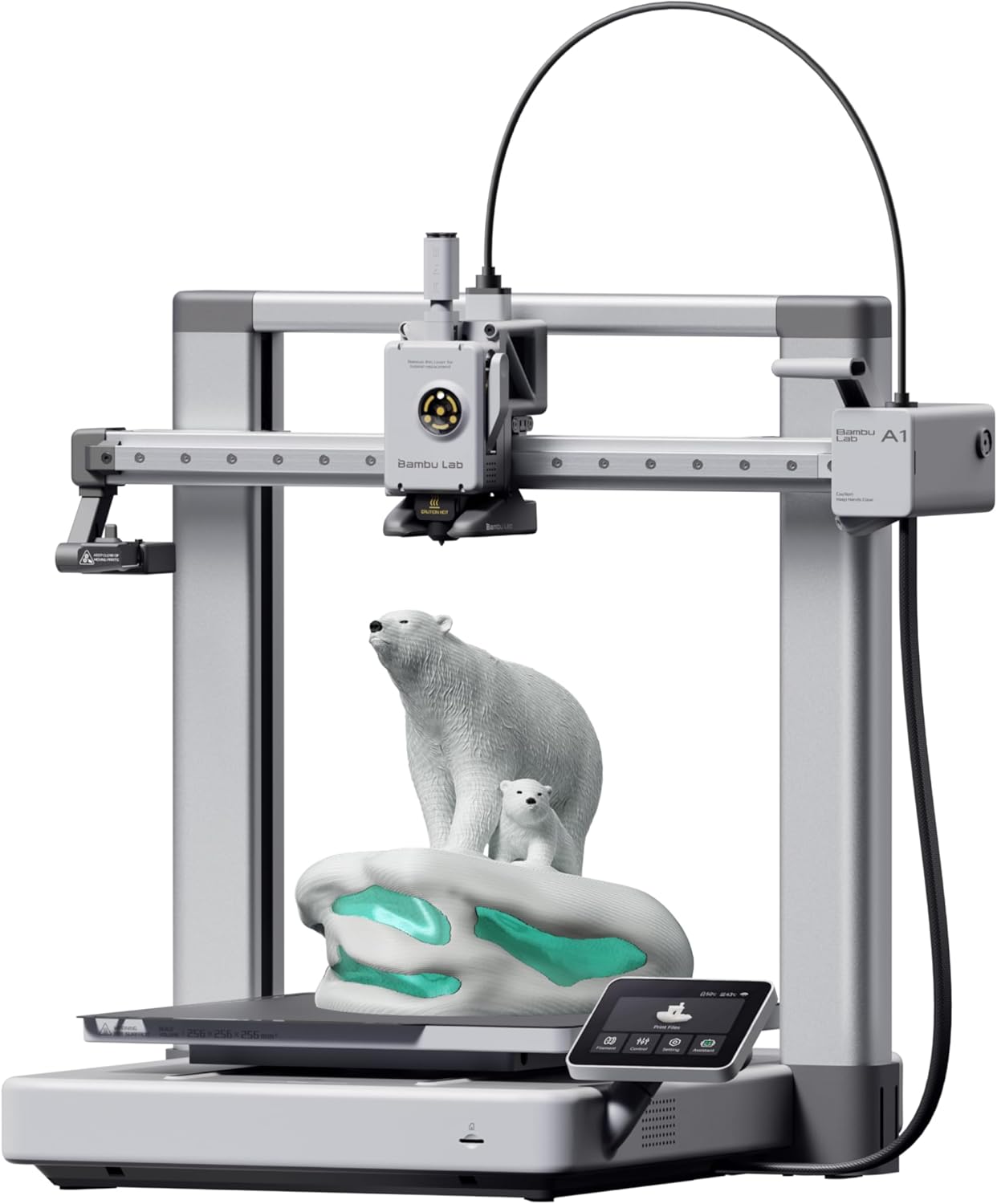
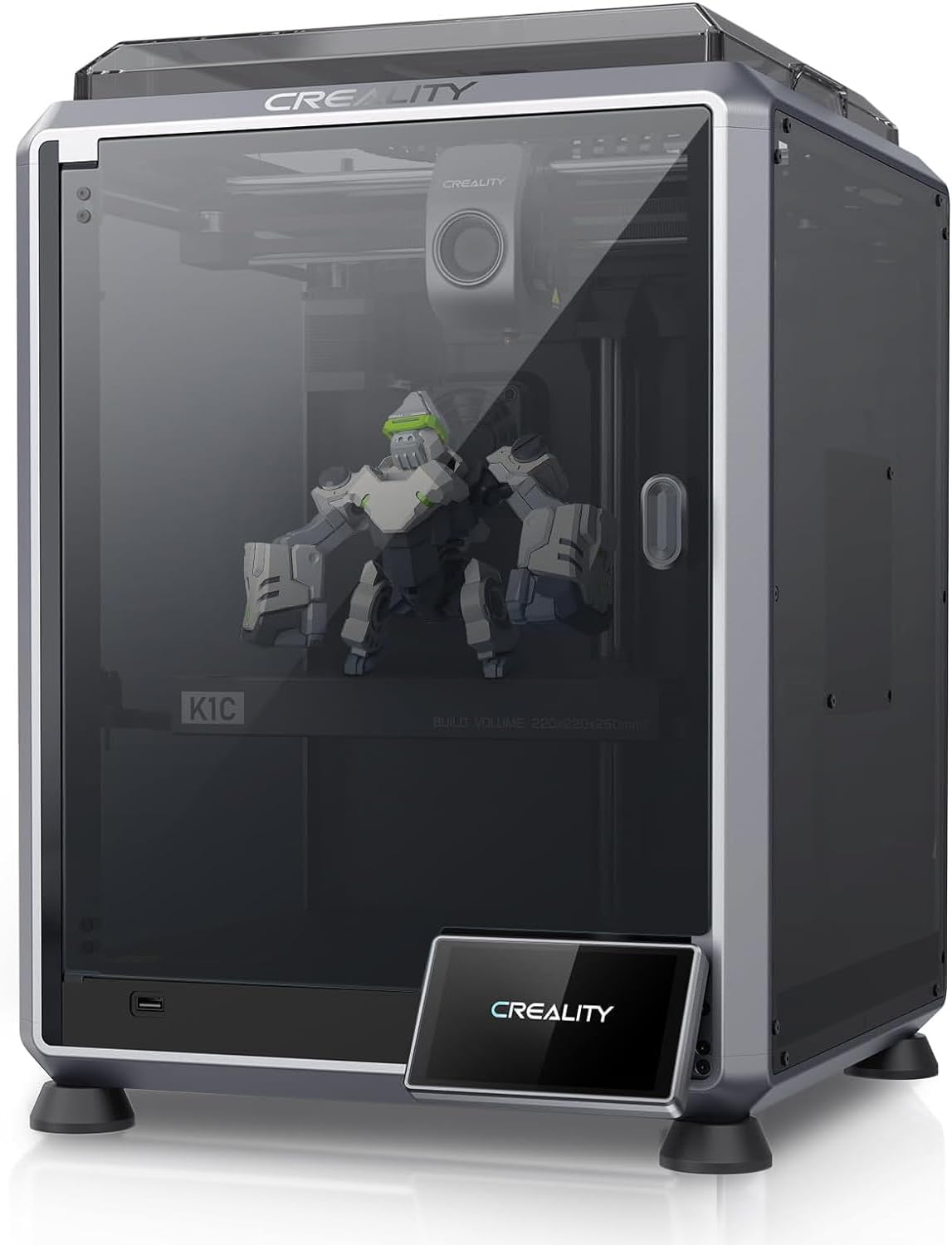
| Spec | Bambu Lab A1 | Creality K1C |
|---|---|---|
| Build Volume | 256×256×256mm | 220×220×250mm |
| Kinematics | Bedslinger (Cartesian) | CoreXY |
| Max Speed | 500 mm/s | 600 mm/s |
| Max Nozzle Temp | 300°C | 300°C |
| Max Bed Temp | 100°C | 100°C |
| Extruder | Direct drive | All-metal dual-gear direct drive |
| Leveling | Fully automatic (load cell) | Fully automatic |
| Chamber | Open | Enclosed |
| Firmware | Bambu (proprietary) | Creality OS (Klipper-based, locked) |
| Camera | Built-in 1080p | Built-in (1080p AI camera) |
Architecture: Why Bedslinger vs CoreXY Still Matters
The A1 moves its bed on the Y axis and its toolhead on X and Z. That works fine — Bambu’s vibration compensation and input shaping algorithms do a solid job suppressing the ringing and ghosting that plagued older bedslingers. At 500mm/s with 10,000mm/s² acceleration, it’s faster than most CoreXY printers cost twice as much two years ago.
But physics still applies. A moving bed means the print mass shifts during every Y-axis move. For tall, narrow prints, that introduces wobble that no amount of firmware compensation fully eliminates. The A1 handles this better than any other bedslinger at this price, but it’s not CoreXY.
The K1C moves only the toolhead — the bed stays fixed. At 600mm/s and 20,000mm/s² acceleration, travel moves audibly whip across the rails. That doubled acceleration is where the K1C actually earns its speed claim: on small, complex parts with constant direction changes, the K1C finishes meaningfully faster. Tall prints stay stable regardless of height. Ringing on sharp corners is better controlled.
For most hobbyist prints — figurines, enclosures, brackets, household parts — the A1’s motion quality is genuinely excellent. For tall structural parts or anything where you’re pushing speed, the CoreXY architecture gives the K1C a real edge.
Material Compatibility: The Clearest Difference
This is where the comparison stops being close.
| Material | A1 (Open Frame) | K1C (Enclosed) |
|---|---|---|
| PLA / PLA+ | Perfect | Perfect |
| PETG | Great | Great |
| ABS | Limited | Great |
| ASA | Limited | Great |
| TPU | Good | Good |
| Carbon-fiber blends | Limited | Perfect |
The A1’s open frame is the constraint. ABS and ASA need a stable thermal environment to avoid warping and layer delamination — an open printer in a room with any air movement will fight you. “Limited” here isn’t a soft warning; it means you’ll spend more time troubleshooting failed prints than actually printing.
Carbon fiber is a separate problem. CF blends are abrasive enough that a brass nozzle that lasts six months on PLA will be unusably worn after two spools of CF. The A1 ships with a nozzle that isn’t rated for abrasives. You can swap it, but you’re adding cost and effort to a printer that wasn’t designed for that workflow.
The K1C ships with a Unicorn tri-metal nozzle — copper body, titanium heat break, hardened steel tip — specifically because Creality built this machine for CF and abrasive filaments. It runs CF blends out of the box, no modifications needed. The enclosed chamber handles ABS and ASA without drama.
If your filament drawer has anything beyond PLA, PETG, and TPU, the K1C is the only printer in this comparison that can handle it.
Hotend and Nozzle: Built for Different Fights
Both printers run direct drive extruders and hit 300°C at the nozzle. On paper, identical. In practice, the hotend design philosophy is completely different.
The A1’s extruder is optimized for reliable, fast PLA and PETG extrusion with the AMS Lite multi-color system in mind. It handles filament changes cleanly and purges efficiently. It’s not designed to run abrasive materials at high duty cycles.
The K1C’s all-metal dual-gear direct drive and the Unicorn nozzle are built for sustained high-temperature, high-abrasion use. The titanium heat break reduces heat creep during the long, continuous extrusion runs that CF and ABS prints demand. This isn’t a minor spec difference — it’s the reason the K1C’s carbon-fiber compatibility is rated “perfect” while the A1’s is rated “limited.”
Multi-Color vs. Enclosure: Pick Your Priority
The A1 supports up to 4-color printing via the optional AMS Lite. Adding it brings the total to roughly $589 — which, notably, is more than a K1C. Multi-color on the A1 works well: Bambu’s purge and color-change logic is mature, and the AMS Lite handles most common filaments without jams.
The K1C has no multi-color option. None. If you want to print two-tone parts or color-matched assemblies, the K1C cannot help you.
The K1C has an enclosed chamber. The A1 does not. If you want to print ABS, ASA, or CF blends reliably, the A1 cannot help you without significant aftermarket modification.
These are hard tradeoffs, not soft preferences. Neither printer can be easily modified to match the other’s core advantage. An enclosure kit for the A1 exists in the community, but it’s a workaround, not a solution — the A1’s bed still moves, which limits how effective a passive enclosure can be. The K1C will never have multi-color support unless Creality releases a completely different product.
Slicer and Firmware Ecosystem
The A1 runs Bambu’s proprietary firmware and is designed to work with Bambu Studio (or the community fork, OrcaSlicer). The ecosystem is polished and fast — calibration routines run automatically, the camera streams to the Bambu Handy app, and cloud sync means you can send prints from anywhere. The tradeoff is lock-in. Bambu’s cloud dependency raises legitimate questions about long-term repairability and what happens if the servers go away.
The K1C runs Creality OS, which is Klipper-based but locked down. You get input shaping and pressure advance — the features that make Klipper worth using — but you don’t get the full open-source Klipper experience. Community mods exist to unlock it further, but out of the box, it’s Klipper-flavored rather than full Klipper. The AI camera does spaghetti detection and can pause prints automatically, which works better than you’d expect.
Neither firmware is a clear winner. Bambu’s is more polished and beginner-friendly. Creality’s gives intermediate users more to work with, even in its locked state.
The Buy Recommendation
Buy the A1 ($339) if:
- PLA, PLA+, PETG, and TPU cover everything you print or plan to print
- Multi-color printing is on your list — AMS Lite is the most accessible path to 4-color at this price
- You want the fastest possible setup with zero configuration
- You’re a first-time buyer who doesn’t want to think about firmware or calibration
- Budget is a real constraint and the $210 difference matters
Buy the K1C ($549) if:
- You print or plan to print ABS, ASA, or carbon-fiber blends
- Enclosure is non-negotiable — you’re in a drafty space or printing engineering materials
- Speed and CoreXY motion quality matter more than color capability
- You want a machine that can grow with you into more demanding filaments
- Multi-color is not on your radar
For most first-time buyers who want to print functional parts, miniatures, and the occasional multi-color project, the A1 is the right call — it’s cheaper, easier, and the AMS Lite option is genuinely good. But if you already know you want to run CF-Nylon brackets or ABS enclosures, buying the A1 and then fighting its limitations is a waste of time and money. The K1C costs more upfront and saves you the frustration.
For a deeper look at how the A1 stacks up against other open-frame options at this price, see Bambu Lab A1 vs Creality Ender 3 V3 SE .