$79 Apart, Worlds Away in Philosophy
Two bedslingers, the same kinematics, the same open-frame limitations, and a $79 price gap. On a spec sheet they look nearly identical. In practice, the Bambu Lab A1 ($339) and the Elegoo Neptune 4 Pro ($260) represent two completely different answers to the question of what a sub-$350 printer should be.
The A1 is Bambu’s bet that most buyers want zero friction — auto-everything, a camera baked in, and a path to multi-color without buying a second machine. The Neptune 4 Pro is Elegoo’s bet that a meaningful slice of the market wants real Klipper firmware and a dual-gear extruder without having to build a printer from scratch.
One of those bets is right for you. The other will frustrate you within a month.
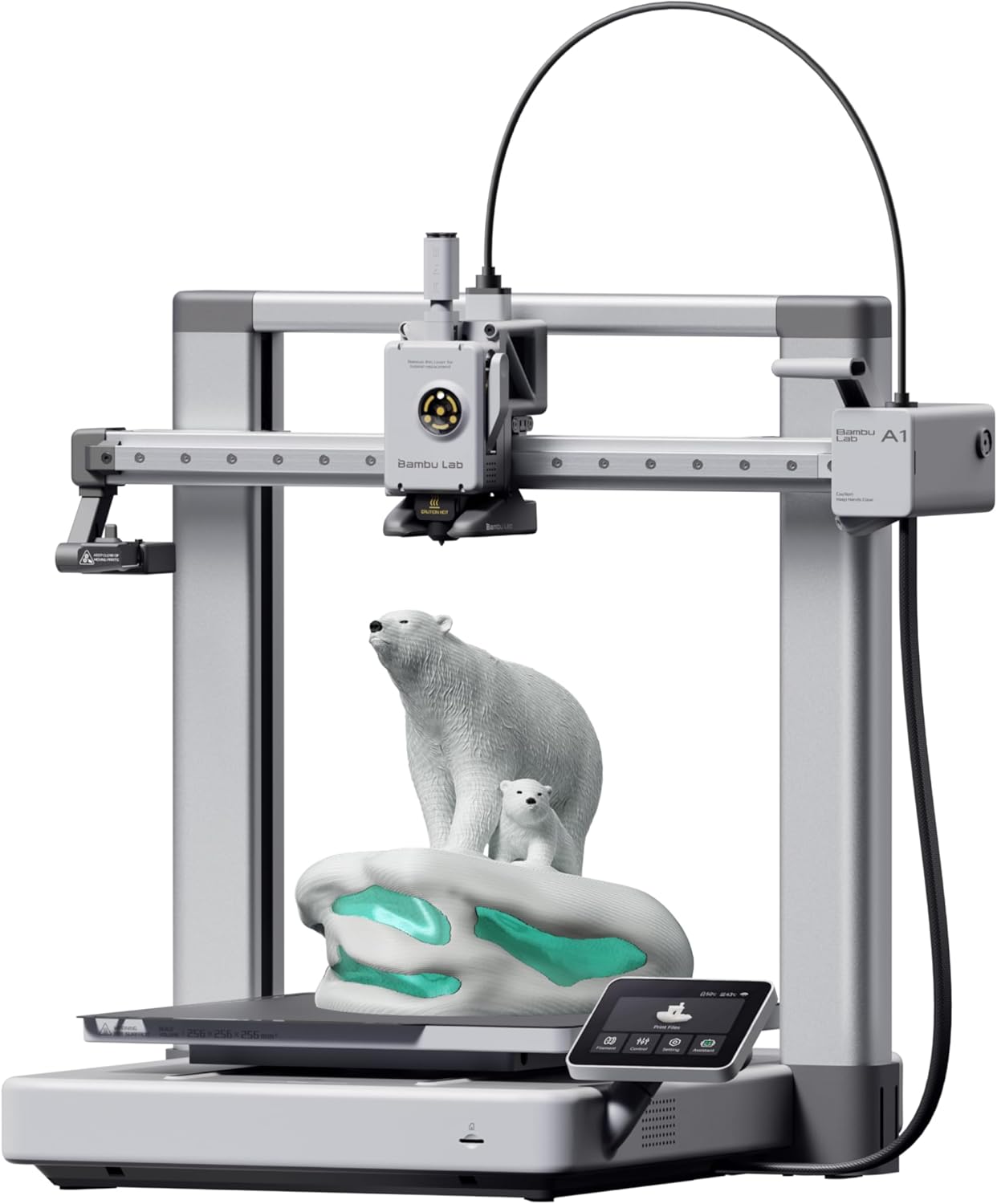
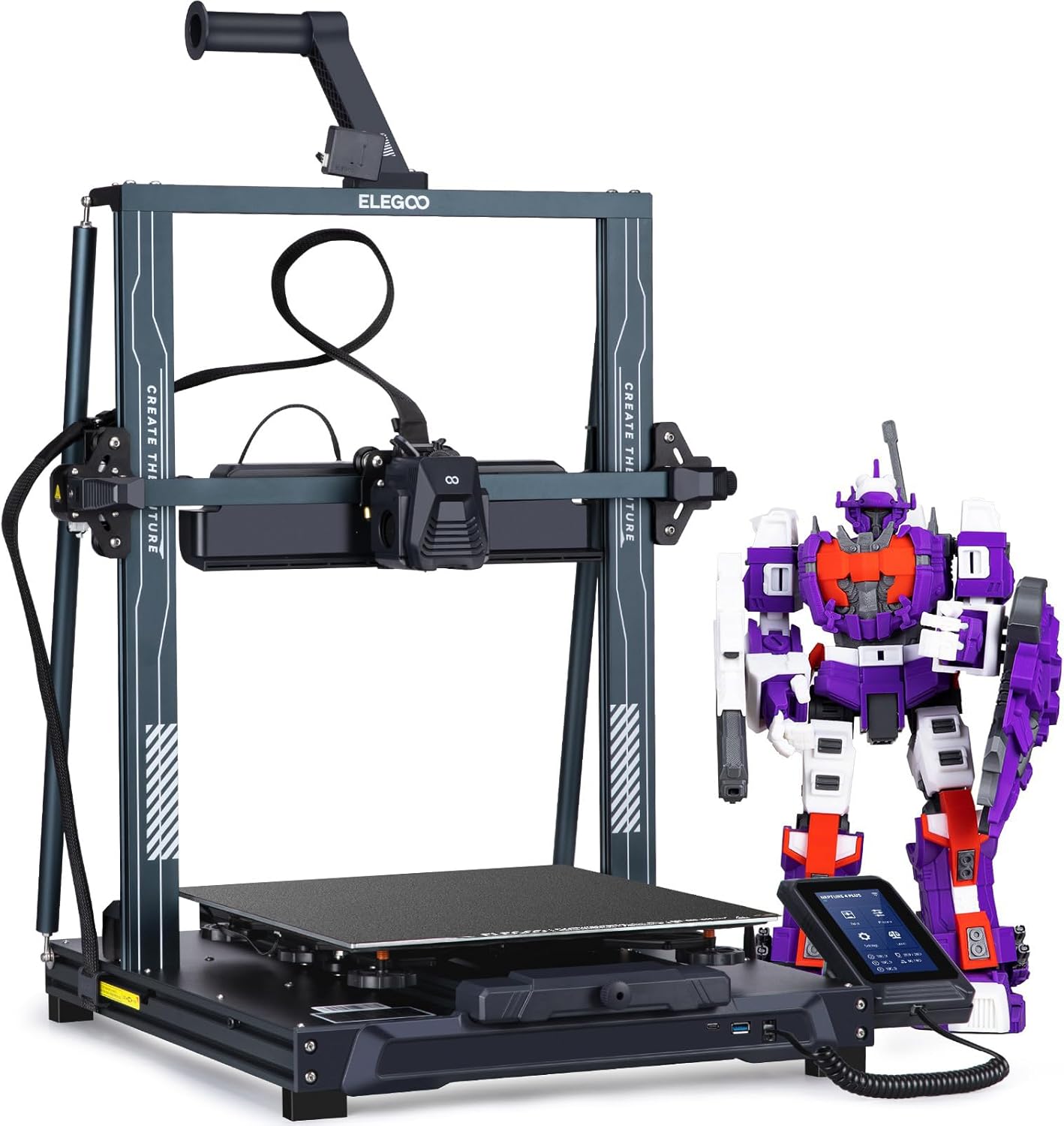
| Spec | Bambu Lab A1 | Elegoo Neptune 4 Pro |
|---|---|---|
| Build Volume | 256×256×256mm | 225×225×265mm |
| Kinematics | Bedslinger (Cartesian) | Bedslinger (Cartesian) |
| Max Speed | 500 mm/s | 500 mm/s |
| Max Nozzle Temp | 300°C | 300°C |
| Max Bed Temp | 100°C | 110°C |
| Extruder | Direct drive | Dual-gear direct drive |
| Leveling | Fully automatic (load cell) | Automatic (121-point) |
| Chamber | Open | Open |
| Firmware | Bambu (proprietary) | Klipper (Elegoo fork, locked) |
| Camera | Built-in 1080p | Optional (sold separately) |
Firmware and Ecosystem: The Sharpest Divide
This is where the two printers actually diverge, and it matters more than any single hardware spec.
The A1 runs Bambu’s proprietary firmware, tightly coupled to Bambu Studio and the Bambu Cloud. Calibration — vibration compensation, flow rate, bed leveling — happens automatically before every print. You don’t configure it; it just runs. The tradeoff is real: cloud sync is mandatory for remote features, the firmware is not open, and if Bambu ever changes their service terms, your remote monitoring goes with it. That’s not paranoia, it’s a documented concern in the community.
The Neptune 4 Pro ships with Klipper — specifically Elegoo’s forked build, which is worth noting. It’s not vanilla Klipper you can update freely; Elegoo has locked the fork, which limits some advanced configurations. That said, pressure advance and input shaping are both present and functional. You get a Mainsail-style interface, macro support, and the ability to tune the printer the way Klipper users expect to tune it. The ceiling is higher. The floor requires more work to reach.
If you’ve never heard of pressure advance and don’t want to learn, the A1 is the correct choice. If you already have a printer.cfg mental model and want to actually use it, the Neptune 4 Pro gives you that foundation — just know the fork limits some of the more exotic Klipper configurations.
Speed and Motion Quality
Both printers advertise 500mm/s top speeds, but the Neptune 4 Pro’s 20,000mm/s² acceleration is double the A1’s 10,000mm/s². That gap matters most on small, detailed parts with lots of direction changes — the Neptune 4 Pro can theoretically spend more time at speed and less time ramping up.
In practice, the A1’s automatic vibration compensation (resonance compensation, in Bambu’s terminology) is well-tuned from the factory. Ringing and ghosting are minimal out of the box at realistic print speeds. The Neptune 4 Pro’s input shaping is capable of the same result, but you need to run the calibration yourself and interpret the output. A well-tuned Neptune 4 Pro can match or beat the A1 on surface quality at speed. A stock Neptune 4 Pro with default settings may show more ringing on fast prints than the A1 does on day one.
Neither printer is a CoreXY. Both move the bed on the Y axis, which means the bed is accelerating a print in progress. At high speeds on tall, top-heavy models, that’s a real limitation for both machines equally.
Material Compatibility: Identical Ceilings, Same Walls
This is one axis where the two printers are genuinely equivalent, and not entirely in a flattering way.
| Material | A1 (Open) | Neptune 4 Pro (Open) |
|---|---|---|
| PLA | Perfect | Perfect |
| PLA+ | Perfect | Perfect |
| PETG | Great | Great |
| TPU | Good | Good |
| ABS | Limited | Limited |
| ASA | Limited | Limited |
| Carbon fiber blends | Limited | Limited |
Both printers are open-frame. ABS and ASA need a stable, warm ambient temperature to print without warping — an open printer in a drafty room is not that. Both are rated limited for carbon fiber blends, which makes sense: neither ships with a hardened-steel nozzle as standard, and CF will chew through a brass nozzle fast. The Neptune 4 Pro does offer a hardened-steel nozzle option, which is worth noting if abrasive filaments are on your list, but the open frame still limits ABS and ASA regardless of nozzle material.
The 300°C max nozzle temperature on both machines is sufficient for most engineering filaments that don’t require an enclosure. For PLA, PETG, and TPU — which covers the majority of hobbyist use cases — both printers are well-matched.
Multi-Color: A1 Has It, Neptune 4 Pro Doesn’t
The A1 supports the AMS Lite, Bambu’s 4-spool multi-color system. It’s optional and adds roughly $250 to the price, bringing the total to around $589 — which starts to compete with different printer categories entirely. But the option exists, it works, and it’s integrated into Bambu Studio’s multi-color workflow without manual configuration.
The Neptune 4 Pro has no multi-material system available. It’s a single-filament machine, full stop. If multi-color prints are on your list — even occasionally — the Neptune 4 Pro cannot get you there without a third-party solution that would require significant DIY effort.
This is a hard differentiator. If you want multi-color at any point in your ownership of this printer, the A1 is the only option between these two.
Camera and Remote Monitoring
The A1 has a built-in 1080p camera. Time-lapses, remote monitoring via Bambu Handy, and the ability to watch a print from your phone are all included in the base price. It works well and requires no setup beyond connecting to Wi-Fi.
The Neptune 4 Pro has no camera. One can be added separately, and Klipper’s ecosystem supports cameras through Crowsnest, but that’s an additional purchase and additional configuration. If remote monitoring matters to you, factor that cost and effort into the Neptune 4 Pro’s price.
Assembly and First-Print Experience
The A1 ships fully assembled. Unbox it, run the automatic calibration sequence, slice something in Bambu Studio, and print. The first-print experience is genuinely as smooth as Bambu’s marketing suggests.
The Neptune 4 Pro ships partially assembled. The gantry needs to be attached to the base, wiring connected, and the Z-axis squared. It’s not a kit build — most users have it ready in 20-30 minutes — but it’s not unbox-and-print either. The automatic 121-point bed leveling is thorough once you’re up and running, but getting there requires some attention.
For a first printer, that distinction is real. For someone on their second or third machine, it’s an afternoon.
The Buy Recommendation
Buy the Bambu Lab A1 (~$339) if:
- This is your first printer and you want it working the same day it arrives
- Multi-color printing is something you want now or might want later
- You value remote monitoring and time-lapse capability without extra hardware
- You’d rather have automatic calibration than learn to tune it yourself
- You’re printing primarily PLA, PLA+, PETG, or TPU
Buy the Elegoo Neptune 4 Pro (~$260) if:
- You already understand Klipper and want to use pressure advance and input shaping on your own terms
- You’re comfortable with partial assembly and initial configuration
- Multi-color is not on your list and you’d rather keep $79 in your pocket
- You want a higher acceleration ceiling to tune toward over time
- You’re buying a second printer to complement an existing setup
For most people buying their first or second printer, the A1 is the default recommendation. The $79 premium buys a meaningfully better out-of-the-box experience, a built-in camera, and the only path to multi-color between these two machines. The Neptune 4 Pro earns its place for buyers who know what Klipper is and specifically want it — that’s a real audience, but it’s not the majority of people shopping in this price range.
If you’re cross-shopping these against other beginner-friendly options, read our best 3D printer for beginners roundup .