Why You Need an Enclosure (and When You Don’t)
Enclosed printers solve one specific problem: temperature gradients during cooling. When a printer extrudes ABS at 240°C in a 22°C room, the bottom layers cool and contract before the top finishes printing. The result: warping, lifting, and layer splits.
A sealed chamber holds the ambient temperature at 40-60°C, so the print cools evenly. That’s it. That’s the whole reason enclosed printers exist.
You don’t need one for PLA. You absolutely need one for ABS, ASA, Polycarbonate, and Nylon-based filaments.
Below: every printer in our database with a sealed chamber, sorted by price.
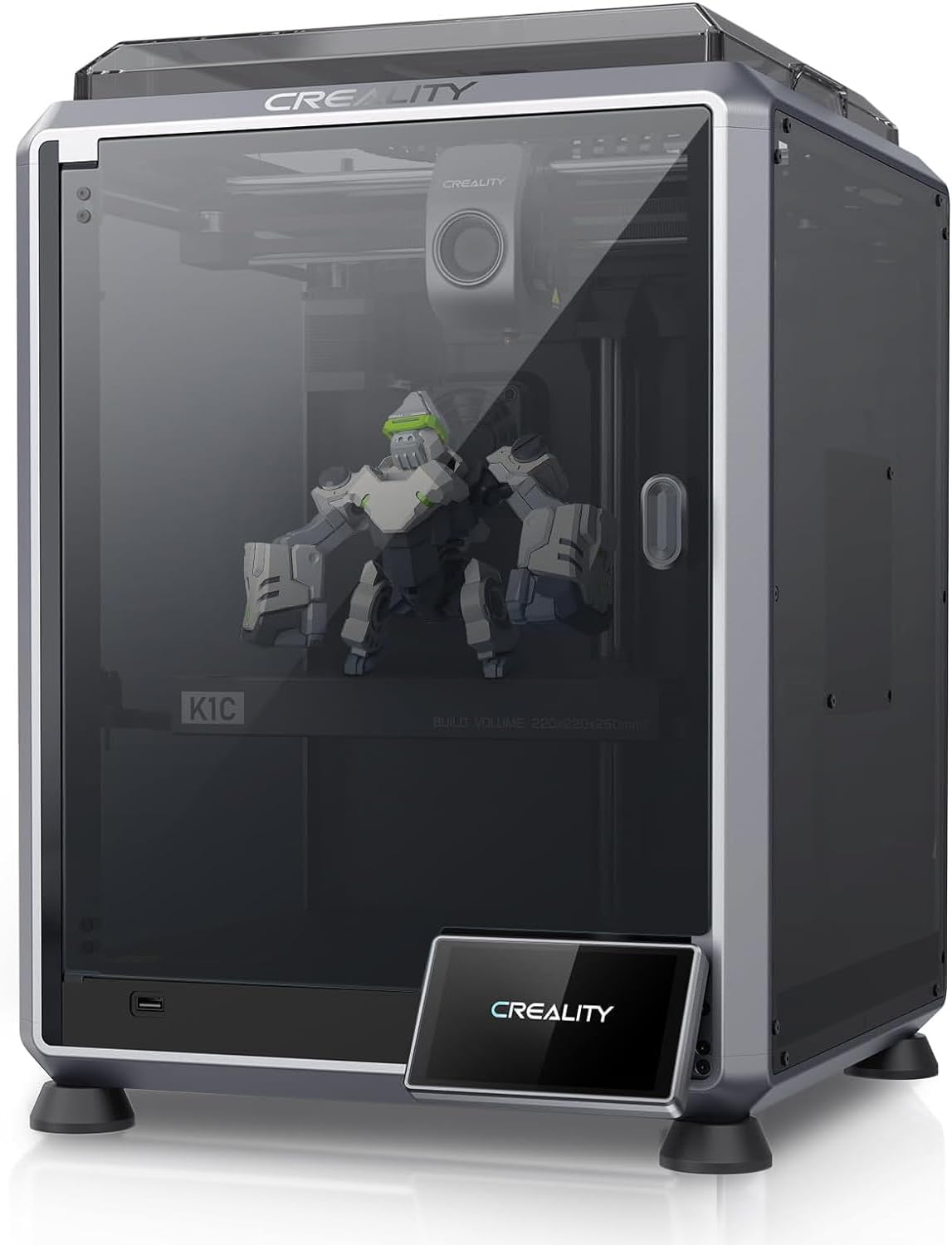
Creality K1C
The K1, made for carbon fiber and abrasives. All-metal hotend, hardened Unicorn nozzle, enclosed CoreXY.
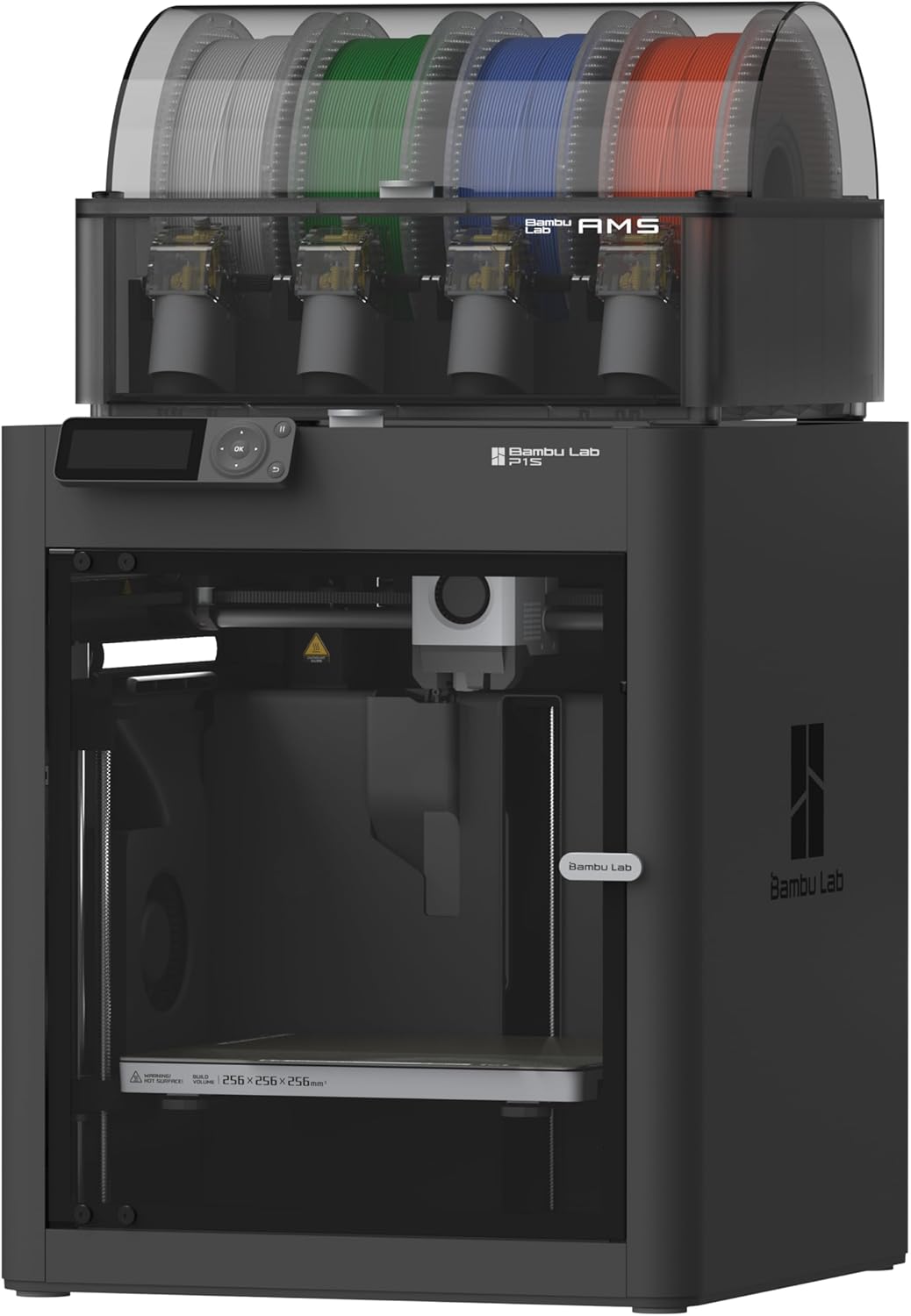
Bambu Lab P1S
CoreXY in a sealed enclosure. ABS and ASA without the enclosure-build weekend.
Creality K1C: The Best Value Enclosed Printer
At around $549, the K1C is one of the most affordable fully-enclosed CoreXYs on the market. It also ships with:
- Unicorn hardened nozzle (CF-ready out of the box)
- 300°C all-metal hotend
- Klipper-based firmware (input shaping, pressure advance — Creality OS, locked)
- AI camera for failure detection
The chamber gets to ~50°C from waste heat, which is enough for most ABS work. It’s not actively heated like a Voron 2.4, but at this price you’re not getting a heated chamber anywhere.
The compromise: smaller build volume than larger CoreXYs, louder than Bambu, and Creality OS is a locked-down Klipper variant.
Bambu Lab P1S: The Premium Pick
If you want the best out-of-box enclosed experience, the P1S ($599) is it. The P1S adds over the K1C:
- Active chamber cooling exhaust (so PLA still prints well in the enclosure)
- AMS-ready (multi-color in the enclosed chamber — no other printer at this price does this)
- Better print quality at speed (refined motion system)
- Bambu Studio + Cloud workflow
The P1S is roughly $50 more for those things. If multi-color or PLA-in-enclosure matters, it’s worth it. If you just want ABS prints to not warp and you want CF-ready hardware, the K1C does the job for slightly less.
What About Other “Enclosed” Printers?
Some printers (Ender 3 V3 KE, Sovol SV08) ship with optional enclosures or panels. We don’t include those here because partial enclosures don’t get hot enough to fix ABS warping consistently. If a printer doesn’t have a sealed top and front by default, it’s an open printer with accessories — not an enclosed printer.
Filaments That Justify the Upgrade
If you’re buying an enclosed printer, you probably want to print:
- ABS / ABS+ — see our PLA vs ABS and ABS vs ASA guides
- ASA — UV-stable for outdoor parts
- Polycarbonate — high-strength engineering use
- Nylon (PA) / PA-CF — engineering applications
Browse compatible options in our filament hub — filtered by material to find ones rated for high-temp printing.